
How to Set Up a Robot Vacuum for the Best First Clean

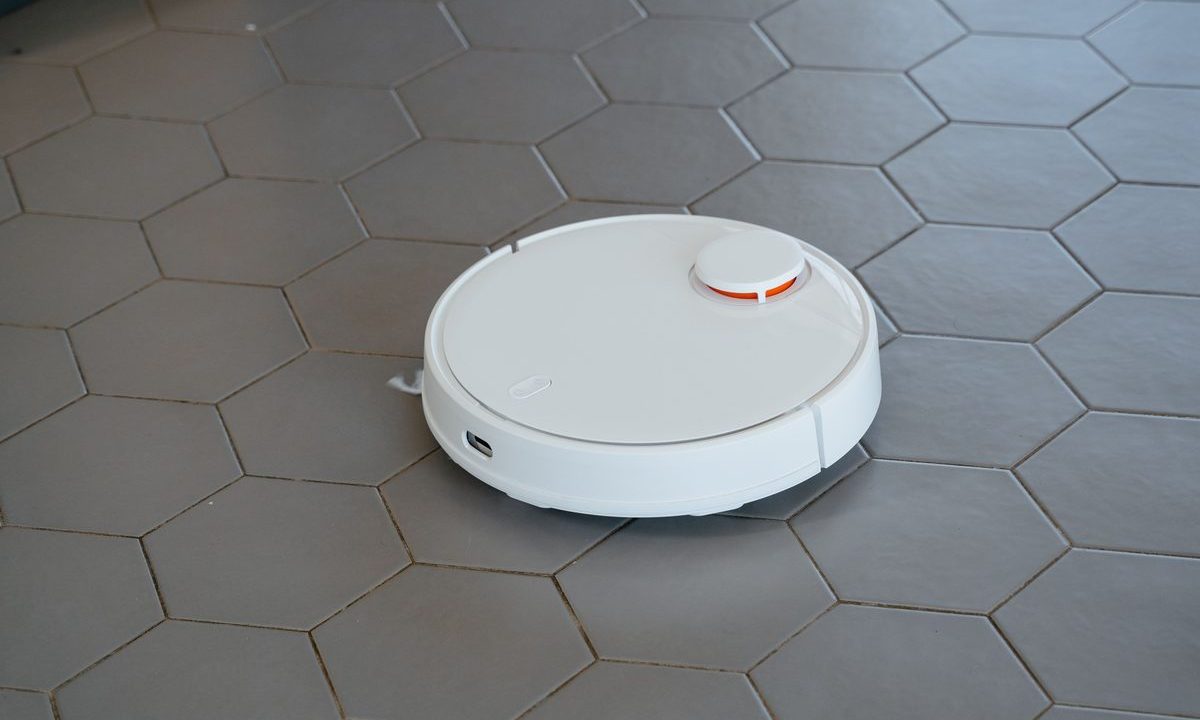
Learning how to set up a robot vacuum the right way makes the difference between a spotless first clean and a robot tangled in charging cables. This guide walks through the prep and settings that get you a complete, snag-free run.
Setting up your robot vacuum properly for the first clean is critical. You’ll get to know just how quickly your robot can get stuck between your shoes, get mummified by your phone charger, leave streaks of dirt on your rugs, and find its way into the wrong room. However, within 10 minutes of opening the packaging, your robot can become a completely hands-off cleaner after its first mapping run. Here are the most common mistakes robot vacuum users make and how to avoid them: running the robot vacuum without a first mapping run, failure to pick up cords and other small objects, and not setting up no-go zones.
Step-by-step
- Clear the floor. Pick up items like cables, socks, shoes, toys and your pet’s food and water bowls. Pull in any loose edges of rugs and secure with tape, as the robot can get stuck in clutter and have difficulty driving through items left in a path to the room. Clear a floor space for the robot to drive into the room.
- Fully charge and connect to app. Make sure to fully charge the Prober before your first run (a dead battery in the middle of the map is a bummer) and update to the latest version of the app. When setting up the dock against a wall, ensure that the wall is flush to the dock and there is sufficient space in front of the dock for it to properly dock.
- Do a special mapping pass to ‘quick map’ your home and watch it all come together in the app to a room by room view. For a two story home that would be a map for each floor.
- Set no-go zones and virtual walls. On the finished map, drag no-go zones over pet bowls, cable clusters, and low furniture, and virtual walls across openings you don’t want it crossing. Keep each zone about 6–12 inches wider than the hazard so the side brush never catches it.
- Schedule and fine-tune: Set the cleaning days and times for when you want your home to be cleaned. In addition to that, you should be able to set each room to use high power suction for carpeted rooms. Test it out for 5-10 minutes to ensure it stays within the boundaries.
- Know your dock and the basics of maintenance. Even if your model self empties the bag after each use you will still need to know where the bag is stored on the machine. Even self emptying models have a bin that will periodically need to be emptied. It is a good idea to empty the bin and check the brushes after your first few uses to get a sense of the amount of cleaning that your floors will require.
Safety tip: keep the navigation sensors clean and the dock flush to a wall — accurate mapping depends on both.
Pro Tips
- A clean LiDAR/camera sensor and a wall-flush dock are what keep mapping accurate — a smudged sensor makes the robot “forget” its zones.
- Map once, carefully. A good first map saves months of the robot getting lost.
- Set no-go zones a hand’s-width bigger than the hazard so side brushes don’t flick cords or bowls around.
Common Problems & Fixes
- Ignores no-go zones → dirty sensor, outdated map, or the dock was moved. Clean the sensor and re-map.
- Gets stuck repeatedly → clutter/cords, or a dark rug it reads as a “cliff.” Clear the area or add a no-go zone.
- Misses rooms → a door was closed during mapping, or low battery. Re-map fully charged.
- Mops the carpet → set carpet as a no-mop zone, or use a model that lifts/detects carpet.
Where to Place the Dock When You Set Up a Robot Vacuum
Dock placement is one of the most overlooked steps when you set up a robot vacuum. Put the base on a hard, level floor against a wall, with roughly a foot and a half of clearance on each side and several feet in front so the robot can dock cleanly every time. Avoid tucking it into a tight corner or behind furniture, and keep it away from direct sunlight, which can confuse the optical sensors some models use for navigation and mapping.
Before the first run, clear the floor of cords, socks, and small toys, and use the app to set no-go zones around pet bowls and cable nests. Good floor care also improves your home’s air — the EPA notes that regular vacuuming helps control dust and allergens indoors. A few minutes of setup up front means the robot maps your home accurately and cleans reliably from day one.
Related on GarageVetted
Related reviews
11.1V vs 14.8V Jump Starters: What Really Determines Starting Power?
Peak amps dominate jump starter advertising, but that headline number does not tell you how well a portable booster will…
What PSI Should Car Tires Be? The Right Pressure for Every Vehicle
What PSI Should Car Tires Be? The Right Pressure for Every Vehicle What PSI should car tires be? For most…
Can You Overinflate a Tire? Max PSI vs Recommended PSI, Explained
Can You Overinflate a Tire? Max PSI vs Recommended PSI, Explained Can you overinflate a tire? Yes — easily, and…